You signed up because someone said it was “only 1.69%.” But then there’s the monthly fee. The hardware rental. The separate app. And every quarter you’re squinting at two different reports trying to work out if the numbers match.

Sound familiar? You’re not alone. Most salon owners are paying more for card processing than they realise – not because the headline rate is wrong, but because nobody showed them the full picture.
This guide breaks it down: what fees actually exist, where the hidden costs sit, and how to compare providers properly so you’re making a decision based on total cost, not marketing claims.
What fees actually exist: the full picture
Before you compare anyone, it’s worth understanding what you’re actually being charged for. Most salon owners focus on the transaction fee, that is the percentage you pay per card payment, because that’s the number every provider leads with. But it’s only one part of the cost.
Here’s what to look for on your statement. The transaction fee is the percentage per card payment – the one everyone quotes. On top of that, some providers add a fixed per-transaction fee, a small pence amount per tap or dip that’s easy to miss but adds up fast if you’re doing lots of smaller treatments like brow waxes or beard trims.
Then there’s the monthly or annual subscription. Some providers charge for the software, the account, or both. Hardware costs cover the purchase, rental, or lease of the card machine itself, and some providers also charge set-up or service fees on top. Chargeback fees come into play if a client disputes a payment. And payout timing isn’t technically a fee, but slower payouts cost you in cash flow. Money sitting in someone else’s account for days is money you can’t use to pay suppliers or your team.
Why the cheapest rate isn’t always the cheapest option
Every card machine provider leads with a transaction rate. It’s the number on the advert, the number on the comparison site, the number your mate at the salon down the road told you about. But that rate on its own tells you almost nothing about what you’ll actually pay.
To compare properly, you need to look at the total cost of ownership. That means the transaction fee plus any fixed per-transaction charges, monthly subscriptions, hardware costs, and the admin time of running a system that isn’t connected to your calendar.
A provider with a rock-bottom headline rate but a €20/month subscription, a €150 card machine, per-transaction fixed fees, and weekly payouts could easily cost you more than one with a slightly higher rate but no monthly fee, daily payouts, and zero reconciliation time. The maths matters more than the marketing.
And then there’s the cost almost nobody factors in: your time.
The hidden cost nobody talks about: admin time
Running a standalone card machine means reconciling payments manually against your booking system. Every day, you’re cross-referencing what came in on the card machine with what’s in your calendar, making sure the numbers match, chasing any discrepancies. For a busy salon, that’s 15–30 minutes a day. Over a month, that’s a full working day spent on admin that an integrated system does automatically.
You didn’t open a salon to spend your evenings matching up transaction IDs.
An integrated payment solution – where your card machine is connected to your booking system – removes that work entirely. Every payment is linked to the booking it came from, every report pulls from the same data, and your end-of-day cash-up takes minutes instead of half an hour.

Treatwell Pay (what’s included and how it works)
Treatwell Pay is built into Treatwell Connect, so bookings, payments, and reporting live in one system. Here’s what that means in practice:
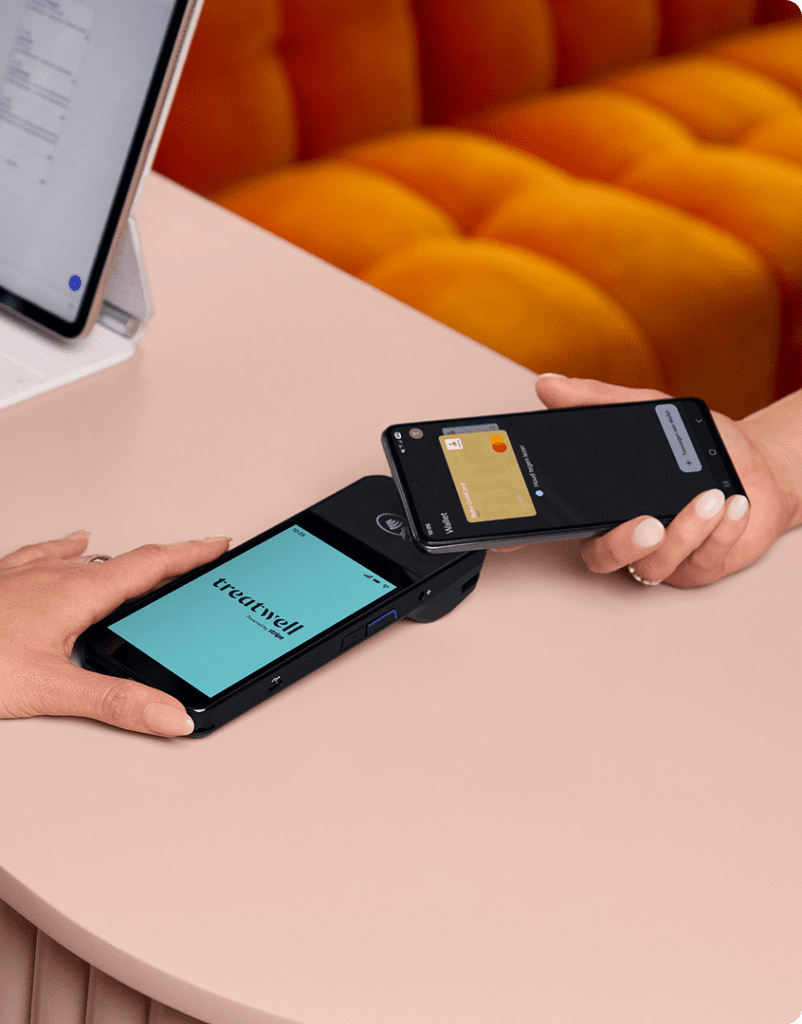
Card machine. Shipped to your salon for free within 2–5 business days. It accepts chip, contactless (including Apple Pay and Google Pay), and swipe – so no client is left fumbling. With a one-off cost of €199, there is no setup fee, no lease, and no monthly rental to pay.
Powered by Stripe. Your funds are handled by Stripe’s infrastructure, the same platform that processes payments for some of the largest businesses globally, which means trusted, secure payment processing from day one.
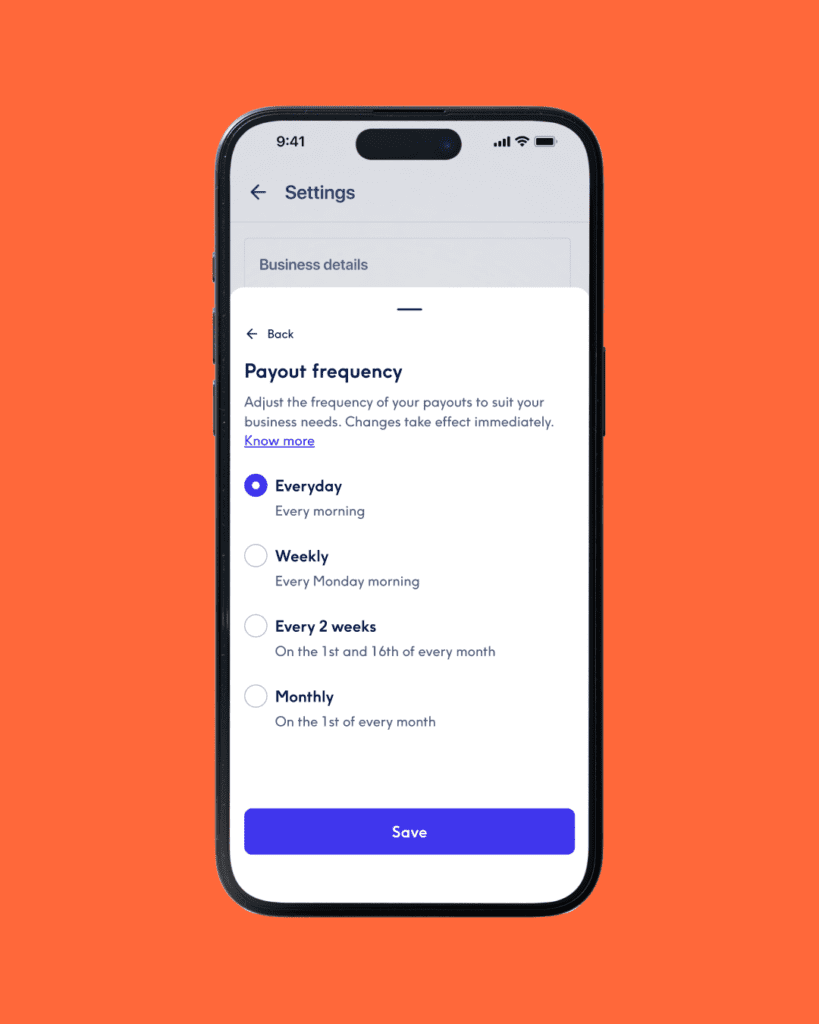
Daily payouts. Money from today’s payments hits your account the next business day. Minimum threshold of €25 (including marketplace prepayments).
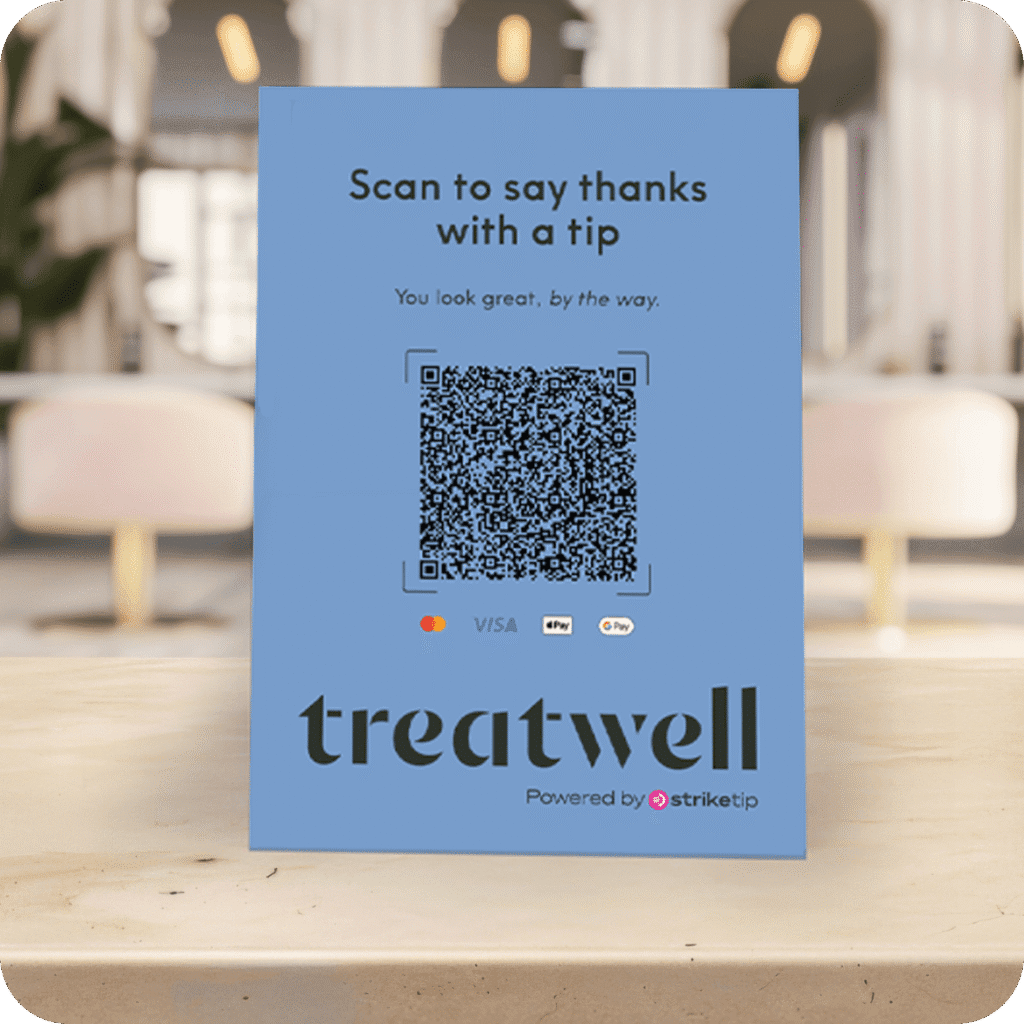
Tipping integration with StrikeTip. Clients scan a QR code at your salon to tip your team directly, no cash needed, no awkward moment at the till. It’s powered by StrikeTip, and your team gets paid properly.
AMEX at no extra cost. Unlike most standalone providers and several integrated competitors, Treatwell Pay charges the same rate for AMEX as for every other card. No premium, no surcharge. For salons where a decent share of clients pay with AMEX, that’s a genuine saving.
No separate payment subscription. There’s no monthly card machine fee or additional payment software cost. You pay the transaction cost per payment, the Connect salon software subscription and marketplace booking commission are separate.
Automatic reconciliation. Every payment matches to its booking. Your VAT and sales reports pull from the same data. Your bookkeeper gets clean numbers without you compiling anything.
Tap to Pay as backup. If your Wi-Fi drops, Tap to Pay on your phone works on mobile data, so you’re never stuck turning clients away. Tap to Pay is also valuable in hectic moments when the checkout queue gets long. With Tap to Pay, you can check out clients directly from the chair.
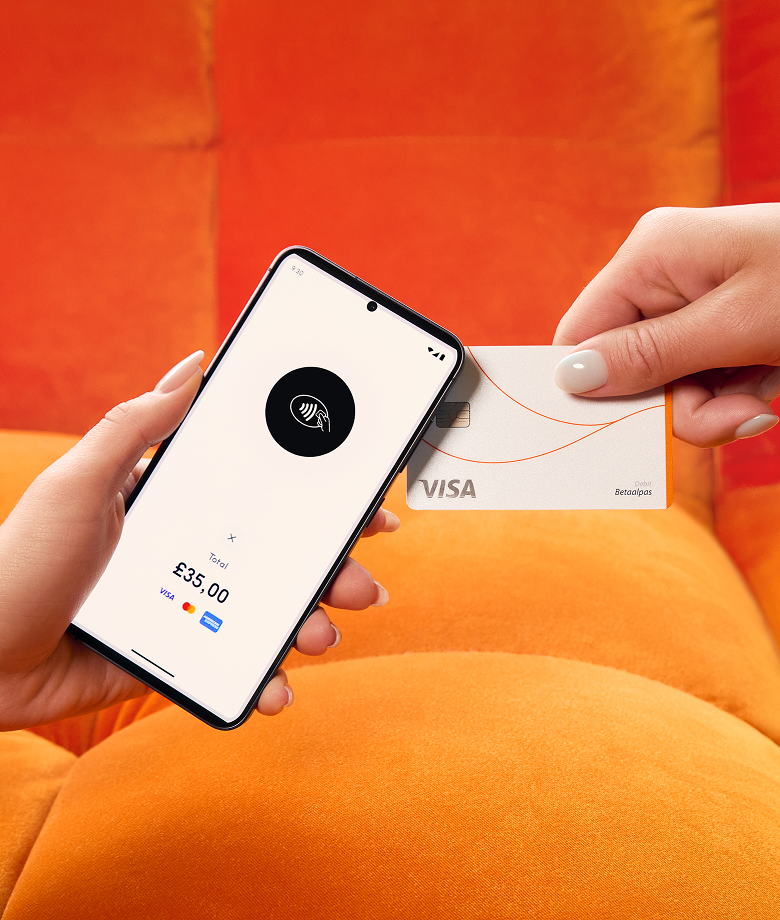
With a transaction fee of 0.89% + €0.10 per transaction, Treatwell Pay is on par or cheaper than leading standalone providers when you factor in average transaction values, transaction volume, and customised card rates – before you even count the time you save on admin and reconciliation.
Daily payouts and tipping — why they matter more than you’d think
These two features come up again and again when salon owners talk about what they actually want from a payment solution. They’re not flashy, but they change how your week feels.
Daily payouts mean card payments taken today land in your account the next business day. For any salon watching cash flow (and that’s every salon) this isn’t a nice-to-have. It’s breathing room. You can pay suppliers on time, cover wages without juggling, and stop planning your week around when the last batch of payments will clear.
Tipping means your team gets recognised for their work without anyone scrambling for cash. It works by scanning a QR code at the till, so it feels natural for the client and straightforward for your team.
Both are standard with Treatwell Pay. Not every provider can say the same, some charge for faster payouts, and some don’t support tipping at all.
How the main alternatives compare
Here’s how the other options on the market stack up.
Standalone providers
Standalone card readers are the default choice for many small businesses. Simple setup, no booking software required, and transparent flat-rate pricing. They work well for low-volume salons or mobile stylists who just need to take card payments.
The trade-off is that they’re just card readers. They don’t connect to your booking system, so payments live in one app and your calendar lives in another. You’re reconciling manually at the end of every day. Some charge more for certain card types (AMEX in particular), or apply surcharges on non-domestic cards that aren’t obvious upfront.
Bank-provided terminals
Bank terminals come with the trust of an established name. Some offer competitive per-transaction rates, especially for higher-volume businesses on custom deals.
But the pricing is often opaque and customised per business, which means you don’t always know what you’re paying until you ask. Contracts typically run 12–24 months, hardware is usually leased, and there’s no integration with salon software. Some don’t accept certain card types at all. You might save on the per-transaction rate, but you’ll spend it back on admin time and inflexibility.
Other integrated salon platforms
Other salon software platforms, like Fresha, Booksy, Planity, or Salonkee, offer integrated payment solutions too. The concept is similar: bookings and payments in one place. Some charge per-transaction fixed fees on top of the percentage rate, and others have monthly SaaS fees plus per-employee charges. Payout terms and tipping support vary by provider and plan.
As with any provider, the total cost depends on your transaction mix, team size, and fee structure. It’s always worth asking for the full breakdown before comparing headline rates – though of course a competitive headline rate is always a good starting point.
At a glance: what to expect from each type of provider
This isn’t a rate card: fees change, and your specific deal may differ. But here’s a directional comparison of what each type of provider typically offers, so you know what questions to ask.
| Treatwell Pay | Standalone providers | Bank-provided terminals | Integrated solutions | |
| Transaction fee | 0.89% | Flat rate, typically under 2% | Custom / negotiated | Percentage rate, sometimes with fixed fee per transaction on top |
| AMEX rate | Same as all other cards | Varies – often higher or with surcharges | Not always accepted | Varies by provider |
| Monthly fee | None for payments* | None, or optional premium plan | Common | SaaS and/or per-employee fees on some plans |
| Hardware | €199 one-off cost | Low upfront purchase cost | Typically leased | Paid or included on higher-tier plans |
| Payouts | Daily, next business day | Daily on most plans | Varies by provider | Daily on most plans; terms vary |
| Tipping | Yes (QR code via StrikeTip) | Yes | Yes | Yes on most plans |
| Booking integration | Full — payments match to bookings automatically | No | No | Yes |
| Contract lock-in | None on payments | None on most plans | 12–24 months typical | Varies – check SaaS terms |
*Treatwell Pay has no separate monthly payment fee. The Connect SaaS subscription and marketplace booking commission are separate.
A quick way to sense-check your costs
Here’s a simple exercise. Take your monthly card revenue, apply your transaction fee, add any fixed per-transaction charges, then add your monthly subscription and divide your hardware cost across 12 months. That’s your real monthly cost of taking card payments.
Now add the time you spend reconciling payments against your calendar: even 30 minutes a day adds up to over 14 hours a month. What’s that time worth to you?
If the total surprises you, it’s worth running the same calculation with a provider that offers automatic reconciliation, reasonably priced hardware, and daily payouts. The difference in transaction fees might be cents per payment. The difference in total cost could be significant over a year.
Contract traps and fee surprises to watch for
Not all card machine contracts are created equal, and the worst surprises tend to be the ones buried in the small print. Before you sign anything, here’s what to check.
Long contracts and auto-renewals. Some providers lock you into 12–24 month terms with automatic renewal. If you miss the cancellation window, you’re in for another year. Always check the minimum term and what happens when it ends.
Hardware leases. Renting a card machine at a monthly fee sounds manageable, but over two years you’ve often paid for the device twice over. If buying outright is an option, do the maths on the total cost over the period you’d otherwise be leasing.
Hidden compliance and statement fees. PCI compliance fees, monthly statement fees, minimum transaction thresholds. These are the charges nobody mentions at sign-up but that appear quietly on your statement. Always ask for a full breakdown of every possible fee before you commit.
Rate creep. Some providers offer an attractive introductory rate that quietly increases after six or twelve months. Check your statements regularly.
Chargeback fees. A chargeback happens when a client disputes a payment. While salons rarely deal with them, some providers charge a significant fee when they do happen. It’s worth knowing the number before you need to.
The “free” software trap. Platforms that charge no monthly subscription often make their money elsewhere: higher transaction rates, marketplace commissions, or per-transaction fixed fees that layer up. A transparent fee structure is worth more than a “free” plan full of hidden costs.
In-person vs online payments: why the rates differ
If you take deposits online, sell gift vouchers through your website, or accept pre-payments for bookings, you’re likely paying a higher rate on those transactions than on in-person card payments. That’s because online payments carry more fraud risk: the card isn’t physically present, so the provider charges a higher fee to cover it.
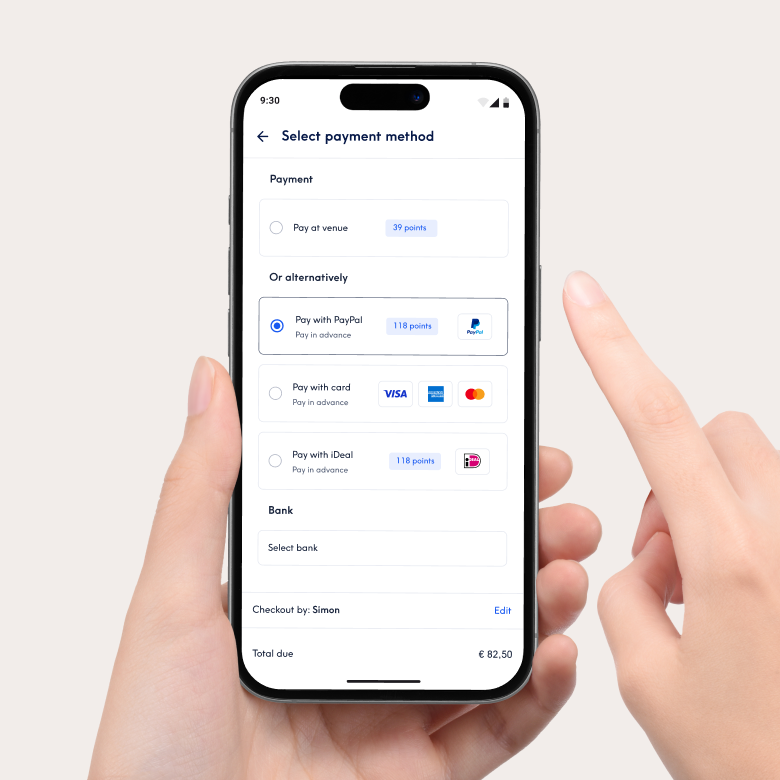
In-person payments, where the client taps, dips, or swipes their card at your till, are lower risk and therefore cheaper to process. The difference can be meaningful: typically 0.5–1 percentage point more for online or keyed-in transactions.
The key is knowing which of your transactions fall into which category, and making sure you’re not paying online rates for payments that could be processed in person. For deposits and pre-payments, the slightly higher rate is usually worth it for the no-show protection alone. If you’re using Connect for bookings, pre-payments are built in – so clients can pay when they book, and the payment is matched to the booking automatically.
What to check before you switch
If you’re thinking about changing your card machine provider, here’s what to look at beyond the headline transaction rate.
The direct transaction costs
- Transaction fee. The percentage per payment. Ask whether it’s the same for debit, credit, and AMEX. Some providers charge a premium for certain card types.
- Fixed per-transaction fee. Any additional charge per payment on top of the percentage. This hits hardest on small transactions.
- Manual entry / keyed transaction fee. Often significantly higher than in-person rates; check what you’ll pay if you have to type a card number in.
- DCC (Dynamic Currency Conversion). Check if there are extra margins or fees when a client pays with a non-domestic card.
Hardware and recurring fees
- Hardware and setup. Purchased, rented, or leased? What’s the total cost over two years? Ask if there are additional one-time installation or setup fees.
- Monthly fees. Check for recurring costs for the software, the account, or both.
- Minimum monthly transaction fee. Some providers charge a penalty if you don’t process a certain volume of payments each month.
The “hidden” admin fees
- Refund and chargeback fees. What does it cost you to process a refund, or if a client disputes a payment?
- Admin and statement fees. Look for monthly “PCI compliance” fees or charges for receiving paper statements.
- Contract length and lock-in. Can you leave without penalty, or is there an early termination fee?
Operational flow and features
- Payout timing. Daily, weekly, or slower? Any minimum thresholds or surcharges?
- Integration. Does it connect to your booking system, or are you running two separate systems?
- Tipping. Is tipping supported? If your team relies on tips, it’s worth checking whether your provider handles this or whether you need a separate solution.
- Backup if the internet goes down. Treatwell Pay works with Tap to Pay on your phone on mobile data.
Make the comparison that actually matters
The cheapest transaction rate isn’t always the cheapest option. When you factor in hardware costs, monthly subscriptions, fixed per-transaction fees, admin time, and the cash flow impact of slow payouts, the real cost picture looks very different from the number on the advert.
If you’re already on Treatwell Connect, switching to Treatwell Pay removes an entire layer of faff. One system for bookings, payments, and reporting. A card machine shipped to your door for free. Daily payouts. Tipping via StrikeTip. AMEX at no extra cost. And no time wasted reconciling numbers at the end of every day.
Fancy seeing what the numbers look like for your salon? Log into Connect or get in touch — no spreadsheets required.
FAQs
What fees do card machines actually charge?
Most providers charge a transaction fee (a percentage of each payment), and some add a small fixed fee per transaction on top. Beyond that, look out for monthly subscriptions, hardware rental or lease costs, chargeback fees, and payout timing – slower payouts cost you in cash flow even if they’re not technically a “fee.”
Why do transaction fees vary so much between providers?
It depends on the provider’s business model. Standalone providers keep it simple with a flat rate and no monthly fee. Bank terminals often have lower per-transaction rates but charge monthly fees and lock you into long contracts. Integrated solutions factor in the value of connecting payments to your booking system. The cheapest headline rate isn’t always the cheapest option once you add everything up.
Is a lower transaction fee always better?
Not necessarily. A provider with a slightly higher transaction rate but no monthly fee, reasonable hardware costs, and daily payouts could cost you less overall than one with a rock-bottom rate but a monthly subscription and weekly payouts. The comparison that matters is total cost.
Does AMEX cost more to accept?
With many providers, yes — AMEX transactions often carry a higher rate or aren’t accepted at all. Treatwell Pay charges the same rate for AMEX as for all other cards. No premium, no surcharge.
What’s a chargeback and should I worry about it?
A chargeback happens when a client disputes a card payment with their bank. Most salons rarely deal with them, but it’s worth knowing whether your provider charges a fee when they happen.
Do all card machines accept contactless?
Most modern ones do, but some older bank terminals only accept chip and swipe. The Treatwell Pay card machine accepts chip, contactless (including Apple Pay and Google Pay), and swipe.
Can I use my card machine if the internet goes down?
The Treatwell Pay card machine connects via Wi-Fi, but if your internet drops, Tap to Pay on your phone works as a backup on mobile data.
Am I locked into a contract with Treatwell Pay?
Not for the payment solution itself – you can stop using Treatwell Pay at any time. Your Connect agreement is separate, but there’s no additional lock-in for payments.
Can I see all my payments and bookings in one report?
Yes. Because Treatwell Pay is connected to Connect, every payment is automatically matched to the booking it came from. No manual reconciliation – and your VAT and sales reports pull from the same data.
What if I’m already in a contract with another provider?
We can help with switching support and walk you through the set-up. If you’re in an existing contract, we can’t buy out the cost, but we can help you plan the transition.
Why are online payment rates higher than in-person rates?
Online payments carry more fraud risk because the card isn’t physically present. Providers charge a higher fee to cover that risk. The difference is typically 0.5–1 percentage point. For deposits and pre-payments, the higher rate is usually worth it for the no-show protection alone.
How do I work out my real cost of taking card payments?
Take your monthly card revenue, apply your transaction fee, add any fixed per-transaction charges, then add your monthly subscription and divide your hardware cost across 12 months. Then factor in the time you spend on reconciliation – even 30 minutes a day adds up to over 14 hours a month.